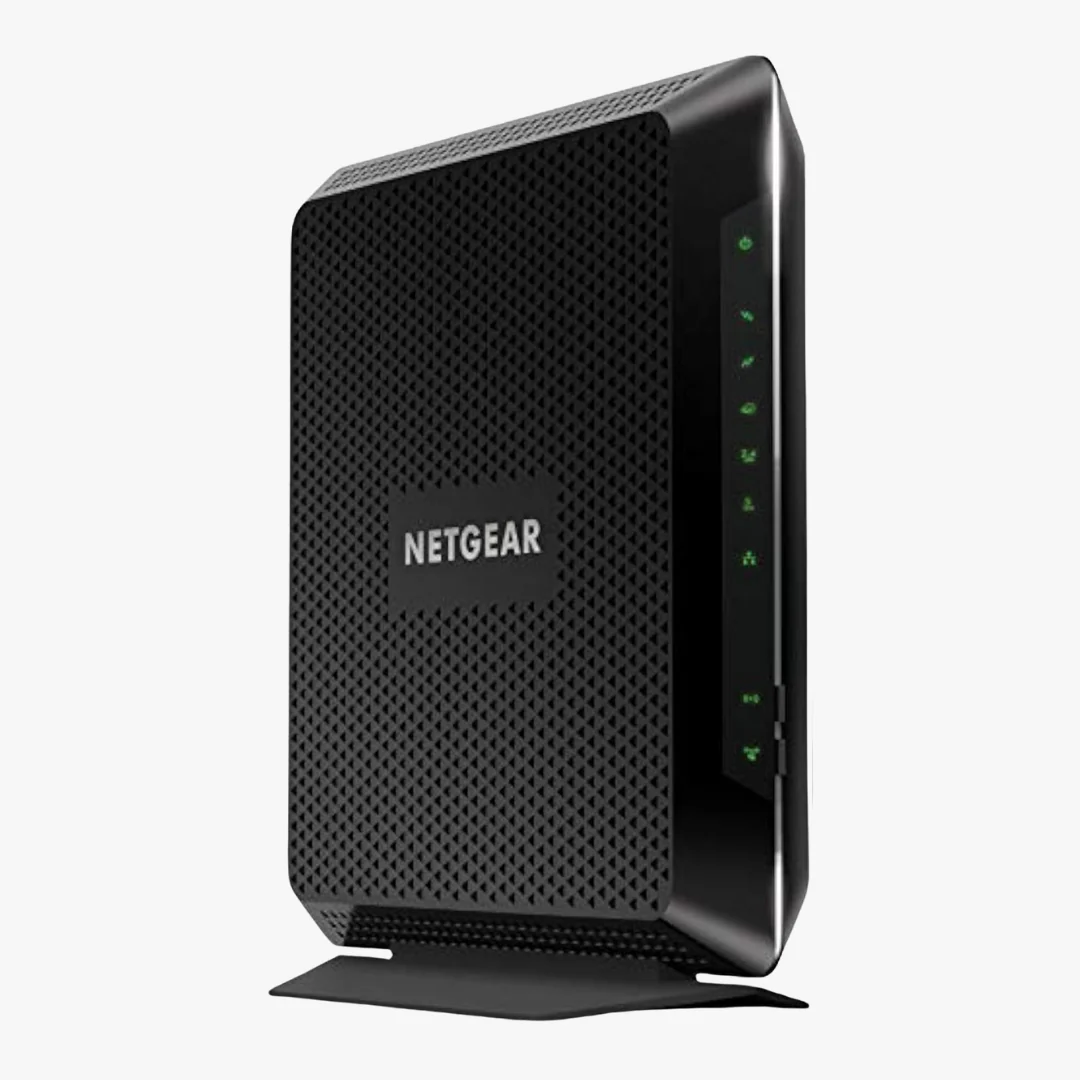
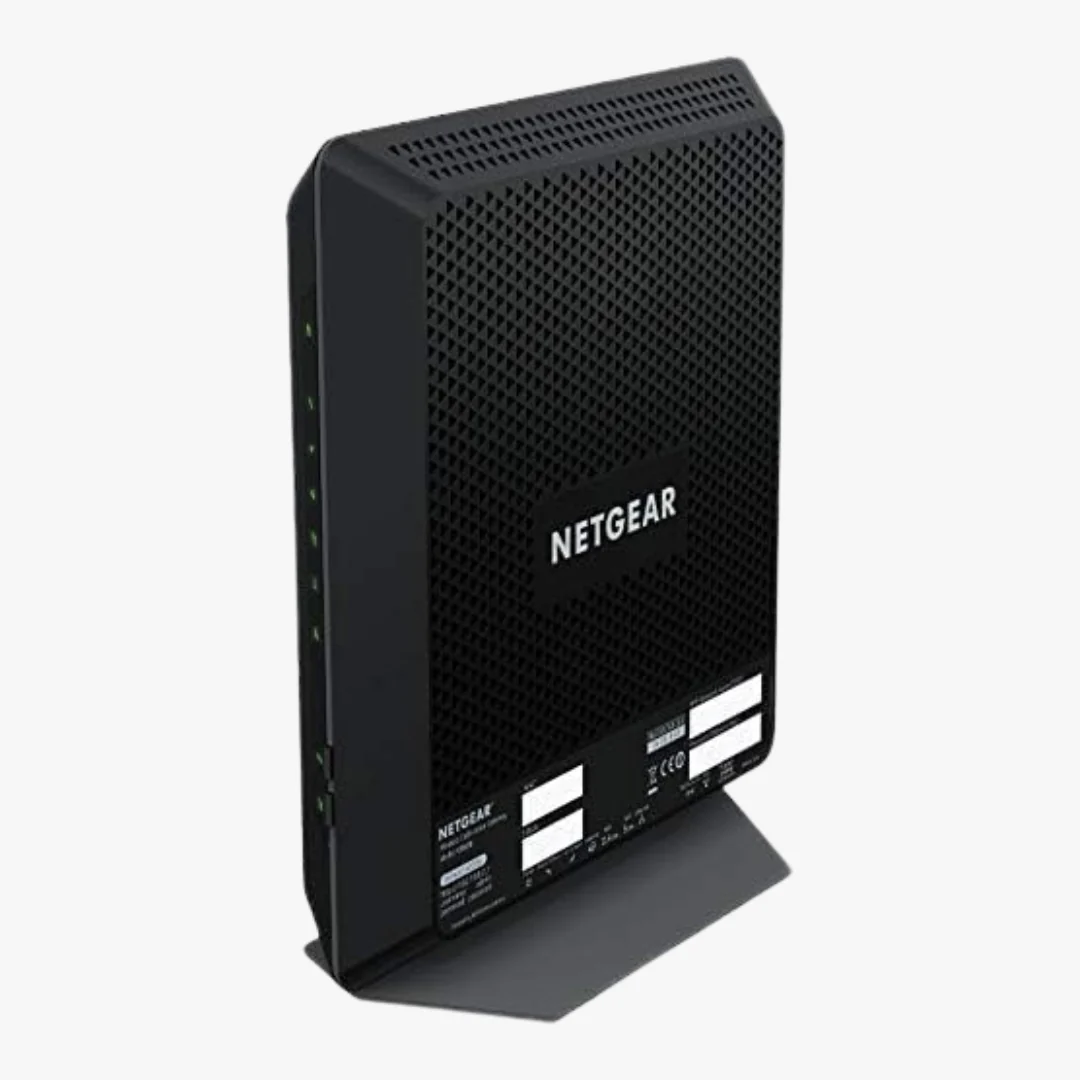
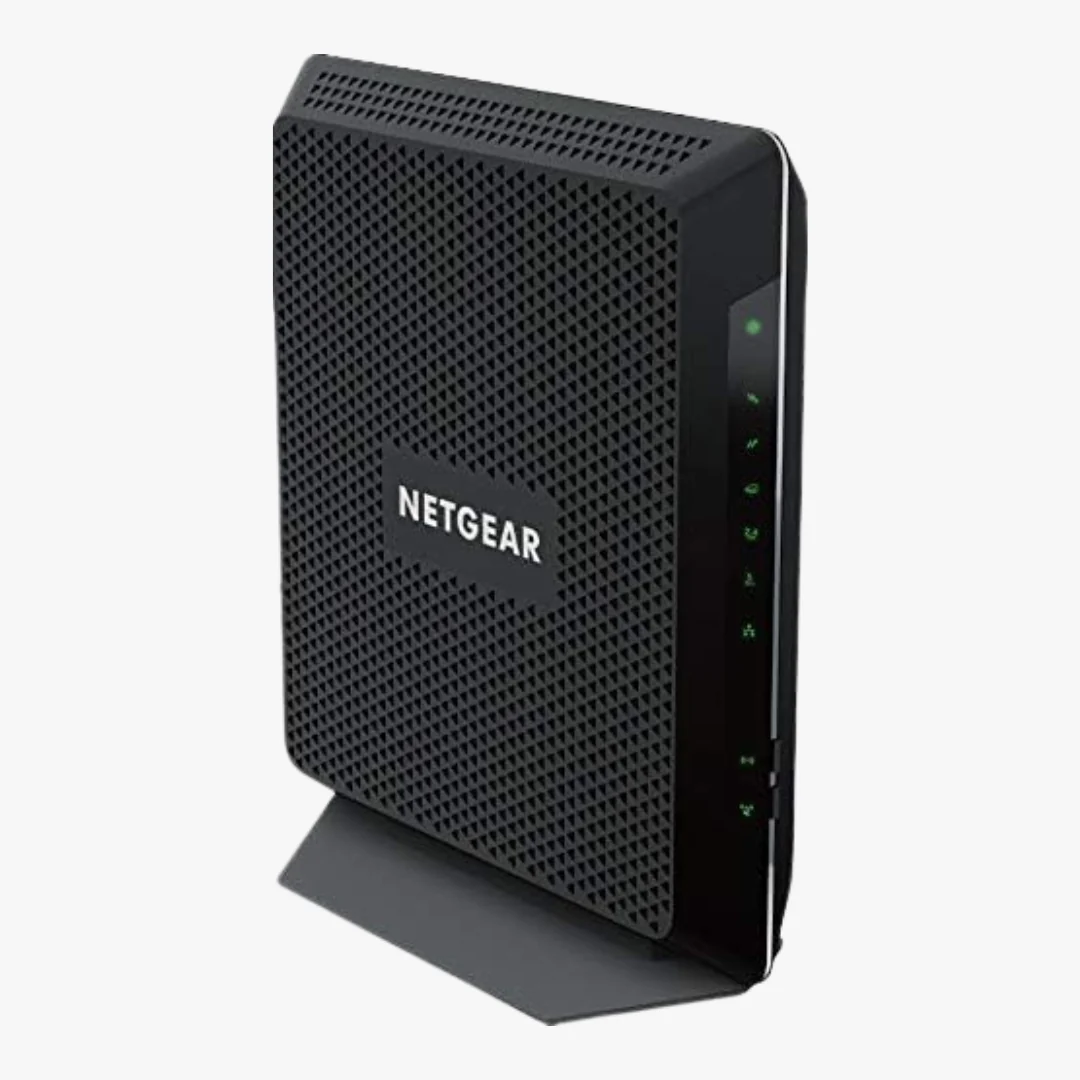
NETGEAR Nighthawk C6900-100NAS AC1900 Cable Modem Router
NETGEAR Nighthawk C6900 Product Description
The NETGEAR Nighthawk C6900-100NAS is a two-in-one device that combines a DOCSIS 3.0 cable modem with an AC1900 dual-band Wi-Fi 5 router. It is designed for medium and large homes that need reliable streaming, gaming, and video conferencing across many connected devices. By replacing your provider's leased modem and router with a single unit, you stop paying monthly rental fees and keep more control over your home network.
Inside, a 1.6 GHz processor and 256 MB of RAM keep the device responsive under heavy load. The integrated DOCSIS 3.0 modem uses 24 downstream and 8 upstream channels to maintain fast speeds during peak hours, while Beamforming+ focuses the WiFi signal directly at each connected device for stronger range and fewer dead spots.
Who This Modem Router Is For
The C6900 fits households on cable Internet plans up to about 600 Mbps. It is well suited for:
- Xfinity, Spectrum, Cox, and other major cable customers who want to stop renting equipment
- Streaming-heavy homes with multiple 4K and HD video devices
- Gamers who need fast wired LAN connections and low-latency WiFi
- Larger homes that need WiFi coverage in multiple rooms
If your cable plan is gigabit or near gigabit, or you want WiFi 6 and WPA3 security, consider a DOCSIS 3.1 modem router instead. For help choosing, see our guide on how to choose a cable modem router.
Speed and Performance
The C6900 delivers AC1900 WiFi, which means up to 600 Mbps on the 2.4 GHz band and up to 1300 Mbps on the 5 GHz band for a combined wireless throughput of 1.9 Gbps. Three internal dual-band antennas with high-powered amplifiers extend coverage throughout large homes, and Beamforming+ improves reliability for phones, tablets, and laptops as they move around the house.
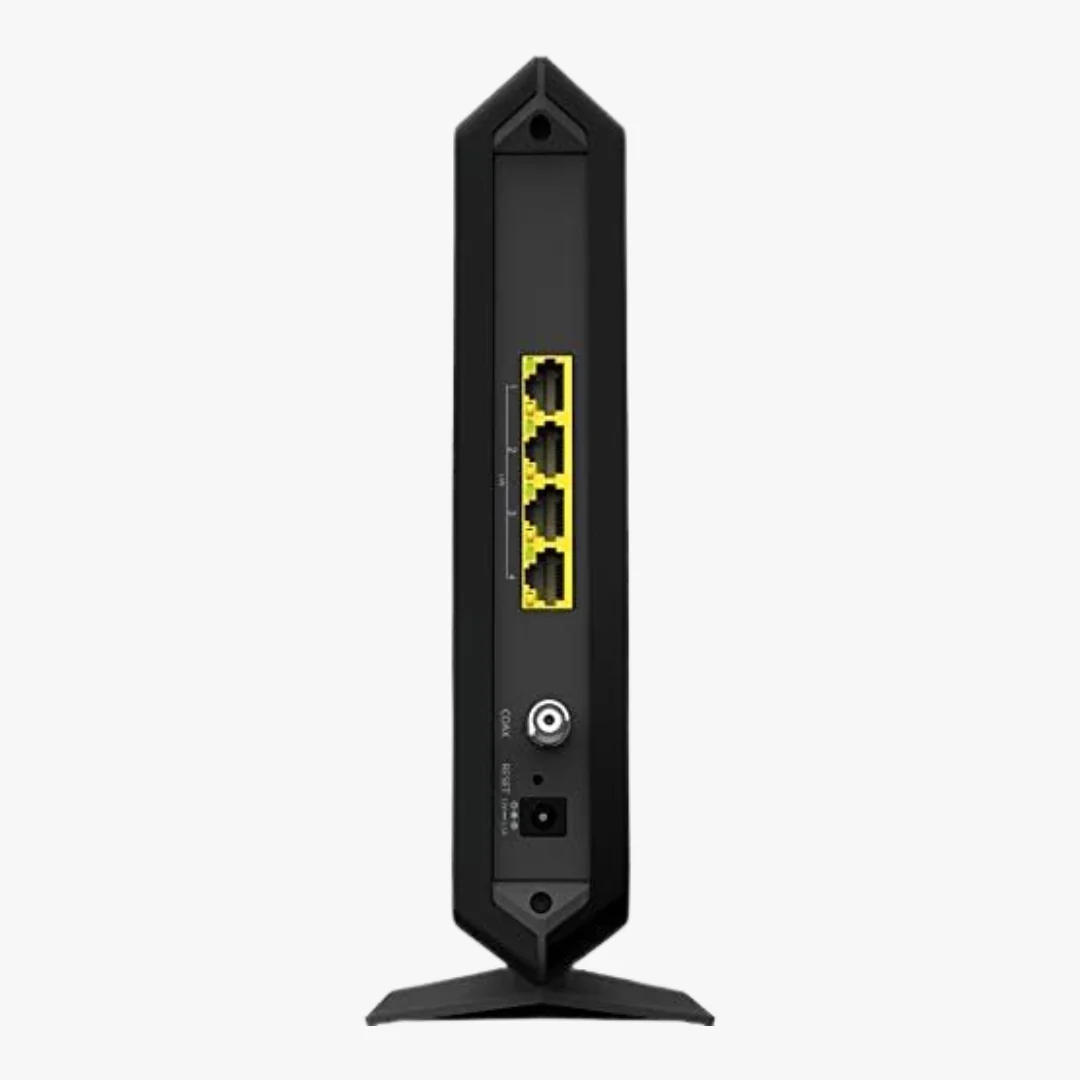
On the wired side, four Gigabit Ethernet LAN ports give you full-speed connections for desktops, smart TVs, and game consoles. The 24x8 channel bonding architecture, paired with the 1.6 GHz processor, helps keep speeds consistent even when the network is congested.
ISP Compatibility
The NETGEAR Nighthawk C6900 is certified to work with most major U.S. cable Internet providers. The table below lists the maximum plan speed supported on each network.
| Cable Provider | Maximum Plan Speed |
|---|---|
| Xfinity from Comcast | Up to 600 Mbps |
| Spectrum | Up to 600 Mbps |
| Cox | Up to 150 Mbps |
| Optimum and Cablevision | Check with provider |
| Mediacom, Sparklight, and others | Check with provider |
The C6900 is not compatible with cable bundled voice services, AT&T, Verizon Fios, CenturyLink, DSL, fiber, or satellite Internet. For ISP-specific setup help, see our Xfinity activation guide, Spectrum activation guide, or Cox activation guide.
Technical Specifications
Networking
| Standard | DOCSIS 3.0 cable modem |
| Channel Bonding | 24 downstream x 8 upstream |
| Maximum Cable Speed | Up to 960 Mbps |
| WiFi Standard | 802.11ac (Wi-Fi 5) |
| WiFi Speed | AC1900 (600 Mbps at 2.4 GHz plus 1300 Mbps at 5 GHz) |
| Frequency Bands | Dual-band 2.4 GHz and 5 GHz |
| Antennas | Three internal dual-band antennas with high-powered amplifiers |
| LAN Ports | Four 10/100/1000 Mbps Gigabit Ethernet |
| IPv6 Support | Yes |
Hardware
| Processor | 1.6 GHz |
| Memory | 128 MB flash, 256 MB RAM |
| Dimensions | 9.66 x 8.31 x 1.7 inches |
| Weight | 1.6 pounds |
| Input Voltage | 100 to 240 volts |
| Color | Black |
Security and Features
- WPA and WPA2-PSK wireless encryption
- Double firewall protection (SPI and NAT)
- Denial-of-service (DoS) attack prevention
- Separate guest network access
- Parental controls for website filtering
- Beamforming+ on both 2.4 GHz and 5 GHz bands
- WPS push button WiFi connections
What's in the Box
- NETGEAR Nighthawk AC1900 WiFi Cable Modem Router (C6900)
- Ethernet cable
- Power adapter
- Quick install guide
Setup and Activation
Setup is straightforward. Connect the coax cable from your wall outlet to the modem, plug in the power adapter, and connect any wired devices to the Gigabit Ethernet ports. From a computer or phone, contact your cable provider to activate the modem using its serial number, cable modem MAC address, and CM MAC address printed on the device label. Once activated, log in to the router at 192.168.0.1 with the default username "admin" to set your WiFi network name and password.
For step-by-step instructions tailored to your ISP, see the activation guides linked in the compatibility section above.
Frequently Asked Questions
Is the NETGEAR Nighthawk C6900 compatible with Xfinity?
Yes. The C6900-100NAS is certified for Xfinity from Comcast on plans up to 600 Mbps. It is also approved for Spectrum, Cox, Optimum, Mediacom, Sparklight, and most other major U.S. cable providers.
What internet speed does the C6900 support?
The DOCSIS 3.0 modem supports cable Internet speeds up to 960 Mbps in theory, with real-world certified plans up to 600 Mbps depending on the provider. The AC1900 WiFi delivers a combined wireless speed of up to 1.9 Gbps across the 2.4 GHz and 5 GHz bands.
Will the C6900 work with my cable phone service?
No. The C6900 does not support cable bundled voice services. If you have a phone line through your cable provider, you will need to keep a separate voice modem or use an eMTA modem.
How many devices can connect to the C6900?
The C6900 supports many concurrent connections through dual-band WiFi and four Gigabit Ethernet ports. It is rated for large homes with many streaming, gaming, and smart-home devices online at the same time.
Does the C6900 support WiFi 6 or WPA3?
No. The C6900 is a Wi-Fi 5 (802.11ac) device with WPA and WPA2-PSK security. For WiFi 6 or WPA3 support, consider a newer DOCSIS 3.1 modem router combo.
Can I use my own router with the C6900?
The C6900 is a combination modem and router, so an external router is not required. If you want to add a separate router or mesh system later, you can connect it to one of the Gigabit LAN ports and place the C6900 in bridge mode.
Important Notes
This product is for indoor use only. Maximum cable Internet rate is derived from DOCSIS 3.0 specifications, and actual throughput will vary depending on your Internet subscription with your provider. Maximum wireless signal rate is derived from IEEE 802.11 specifications, and actual data throughput and wireless coverage may be lower due to network traffic, interference, and building construction.
Original: $149.00
-65%$149.00
$52.15Product Information
Product Information
Shipping & Returns
Shipping & Returns
Description
NETGEAR Nighthawk C6900 Product Description
The NETGEAR Nighthawk C6900-100NAS is a two-in-one device that combines a DOCSIS 3.0 cable modem with an AC1900 dual-band Wi-Fi 5 router. It is designed for medium and large homes that need reliable streaming, gaming, and video conferencing across many connected devices. By replacing your provider's leased modem and router with a single unit, you stop paying monthly rental fees and keep more control over your home network.
Inside, a 1.6 GHz processor and 256 MB of RAM keep the device responsive under heavy load. The integrated DOCSIS 3.0 modem uses 24 downstream and 8 upstream channels to maintain fast speeds during peak hours, while Beamforming+ focuses the WiFi signal directly at each connected device for stronger range and fewer dead spots.
Who This Modem Router Is For
The C6900 fits households on cable Internet plans up to about 600 Mbps. It is well suited for:
- Xfinity, Spectrum, Cox, and other major cable customers who want to stop renting equipment
- Streaming-heavy homes with multiple 4K and HD video devices
- Gamers who need fast wired LAN connections and low-latency WiFi
- Larger homes that need WiFi coverage in multiple rooms
If your cable plan is gigabit or near gigabit, or you want WiFi 6 and WPA3 security, consider a DOCSIS 3.1 modem router instead. For help choosing, see our guide on how to choose a cable modem router.
Speed and Performance
The C6900 delivers AC1900 WiFi, which means up to 600 Mbps on the 2.4 GHz band and up to 1300 Mbps on the 5 GHz band for a combined wireless throughput of 1.9 Gbps. Three internal dual-band antennas with high-powered amplifiers extend coverage throughout large homes, and Beamforming+ improves reliability for phones, tablets, and laptops as they move around the house.
On the wired side, four Gigabit Ethernet LAN ports give you full-speed connections for desktops, smart TVs, and game consoles. The 24x8 channel bonding architecture, paired with the 1.6 GHz processor, helps keep speeds consistent even when the network is congested.
ISP Compatibility
The NETGEAR Nighthawk C6900 is certified to work with most major U.S. cable Internet providers. The table below lists the maximum plan speed supported on each network.
| Cable Provider | Maximum Plan Speed |
|---|---|
| Xfinity from Comcast | Up to 600 Mbps |
| Spectrum | Up to 600 Mbps |
| Cox | Up to 150 Mbps |
| Optimum and Cablevision | Check with provider |
| Mediacom, Sparklight, and others | Check with provider |
The C6900 is not compatible with cable bundled voice services, AT&T, Verizon Fios, CenturyLink, DSL, fiber, or satellite Internet. For ISP-specific setup help, see our Xfinity activation guide, Spectrum activation guide, or Cox activation guide.
Technical Specifications
Networking
| Standard | DOCSIS 3.0 cable modem |
| Channel Bonding | 24 downstream x 8 upstream |
| Maximum Cable Speed | Up to 960 Mbps |
| WiFi Standard | 802.11ac (Wi-Fi 5) |
| WiFi Speed | AC1900 (600 Mbps at 2.4 GHz plus 1300 Mbps at 5 GHz) |
| Frequency Bands | Dual-band 2.4 GHz and 5 GHz |
| Antennas | Three internal dual-band antennas with high-powered amplifiers |
| LAN Ports | Four 10/100/1000 Mbps Gigabit Ethernet |
| IPv6 Support | Yes |
Hardware
| Processor | 1.6 GHz |
| Memory | 128 MB flash, 256 MB RAM |
| Dimensions | 9.66 x 8.31 x 1.7 inches |
| Weight | 1.6 pounds |
| Input Voltage | 100 to 240 volts |
| Color | Black |
Security and Features
- WPA and WPA2-PSK wireless encryption
- Double firewall protection (SPI and NAT)
- Denial-of-service (DoS) attack prevention
- Separate guest network access
- Parental controls for website filtering
- Beamforming+ on both 2.4 GHz and 5 GHz bands
- WPS push button WiFi connections
What's in the Box
- NETGEAR Nighthawk AC1900 WiFi Cable Modem Router (C6900)
- Ethernet cable
- Power adapter
- Quick install guide
Setup and Activation
Setup is straightforward. Connect the coax cable from your wall outlet to the modem, plug in the power adapter, and connect any wired devices to the Gigabit Ethernet ports. From a computer or phone, contact your cable provider to activate the modem using its serial number, cable modem MAC address, and CM MAC address printed on the device label. Once activated, log in to the router at 192.168.0.1 with the default username "admin" to set your WiFi network name and password.
For step-by-step instructions tailored to your ISP, see the activation guides linked in the compatibility section above.
Frequently Asked Questions
Is the NETGEAR Nighthawk C6900 compatible with Xfinity?
Yes. The C6900-100NAS is certified for Xfinity from Comcast on plans up to 600 Mbps. It is also approved for Spectrum, Cox, Optimum, Mediacom, Sparklight, and most other major U.S. cable providers.
What internet speed does the C6900 support?
The DOCSIS 3.0 modem supports cable Internet speeds up to 960 Mbps in theory, with real-world certified plans up to 600 Mbps depending on the provider. The AC1900 WiFi delivers a combined wireless speed of up to 1.9 Gbps across the 2.4 GHz and 5 GHz bands.
Will the C6900 work with my cable phone service?
No. The C6900 does not support cable bundled voice services. If you have a phone line through your cable provider, you will need to keep a separate voice modem or use an eMTA modem.
How many devices can connect to the C6900?
The C6900 supports many concurrent connections through dual-band WiFi and four Gigabit Ethernet ports. It is rated for large homes with many streaming, gaming, and smart-home devices online at the same time.
Does the C6900 support WiFi 6 or WPA3?
No. The C6900 is a Wi-Fi 5 (802.11ac) device with WPA and WPA2-PSK security. For WiFi 6 or WPA3 support, consider a newer DOCSIS 3.1 modem router combo.
Can I use my own router with the C6900?
The C6900 is a combination modem and router, so an external router is not required. If you want to add a separate router or mesh system later, you can connect it to one of the Gigabit LAN ports and place the C6900 in bridge mode.
Important Notes
This product is for indoor use only. Maximum cable Internet rate is derived from DOCSIS 3.0 specifications, and actual throughput will vary depending on your Internet subscription with your provider. Maximum wireless signal rate is derived from IEEE 802.11 specifications, and actual data throughput and wireless coverage may be lower due to network traffic, interference, and building construction.